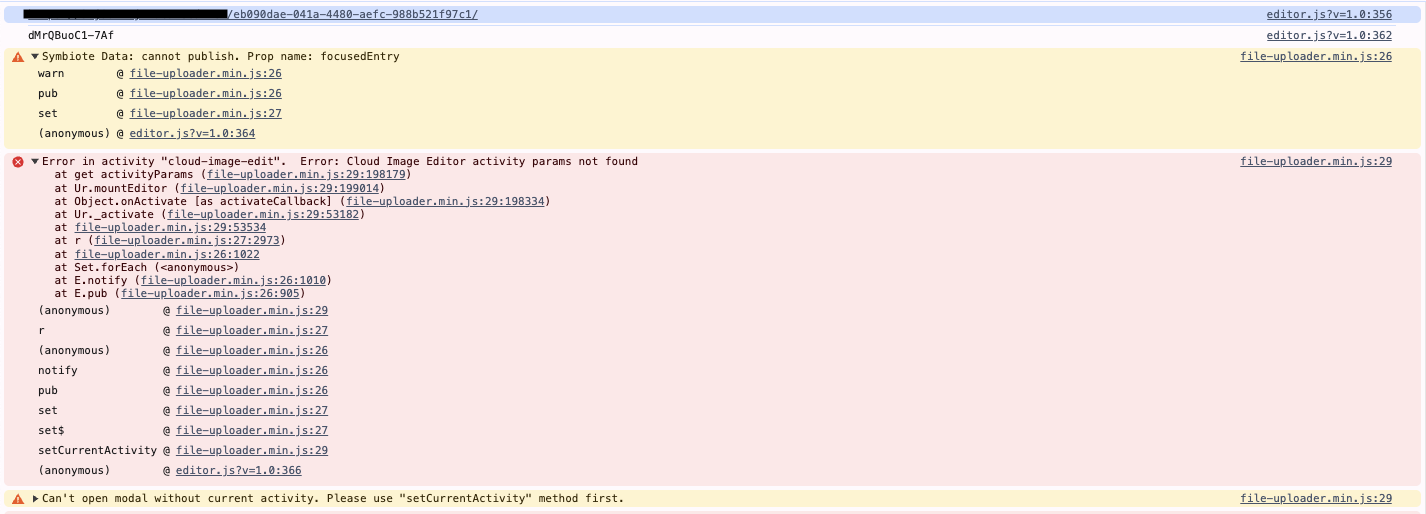
I’m working with the cloud edit tool and trying to launch the editor modal dynamically based on the image our user wants to edit, but I am getting the error “Cloud Image Editor activity params not found” when passing the internalID to the setCurrentActivity function.
I reviewed this article, but neither example seem to work.
No worries. Yes, this is still something that we are trying to implement. I’m running the code below on a click event listener. I’ve included the console errors in a screenshot as well.
I’m not currently storing the UploadCare internalId so I’m getting duplicate photos in the system when using addFileFromUrl. It would be amazing to load the cloud image edit from the photo url.
const photo = photoContainer.querySelector('img');
const photoUrl = photo.src;

// If the image is hossted on Uploadcare, use addFileFromCdnUrl to prevent duplication
// otherwise, use addFileFromUrl to upload it from external URL
const file = this.ctxApi.addFileFromCdnUrl(photoUrl);

const internalId = file.internalId;
const internalEntry = this.ctxApi._uploadCollection.read(internalId);

this.ctxApi.setCurrentActivity("cloud-image-edit", { internalId });

this.ctxApi.setModalState(true);
Please make sure that you’re using the latest version of File Uploader.